banFlow: Kanban and Time Tracking Made Easy
A downloadable tool for Windows
banFlow: Project Management Made Simple
banFlow is a desktop application that combines project management with integrated time tracking. It's designed to be an all-in-one solution for managing your tasks, tracking your time, and maintaining your project.
1. Kanban Board Management
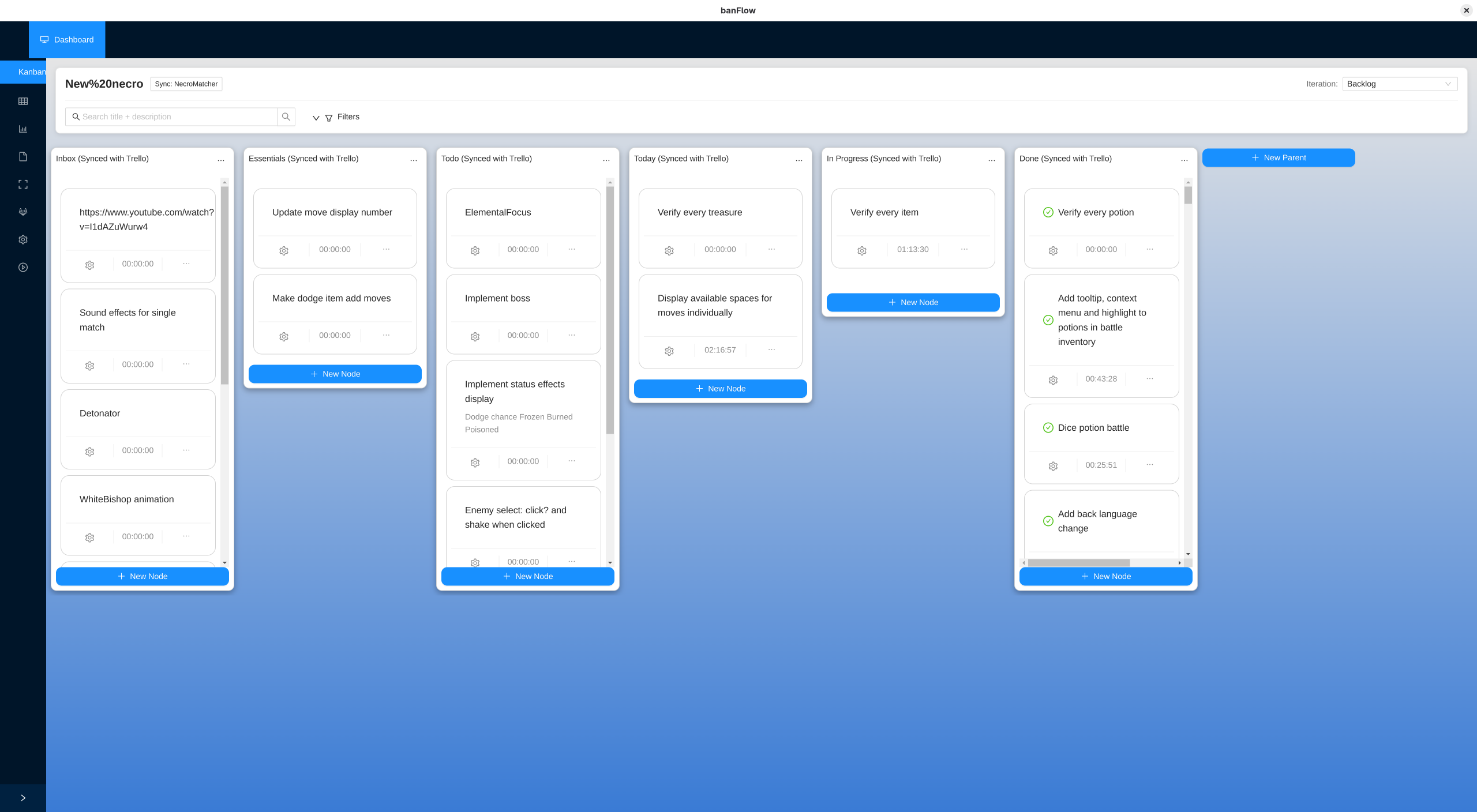
- Kanban with drag-and-drop columns (parents) and cards (nodes)
2. Time Tracking
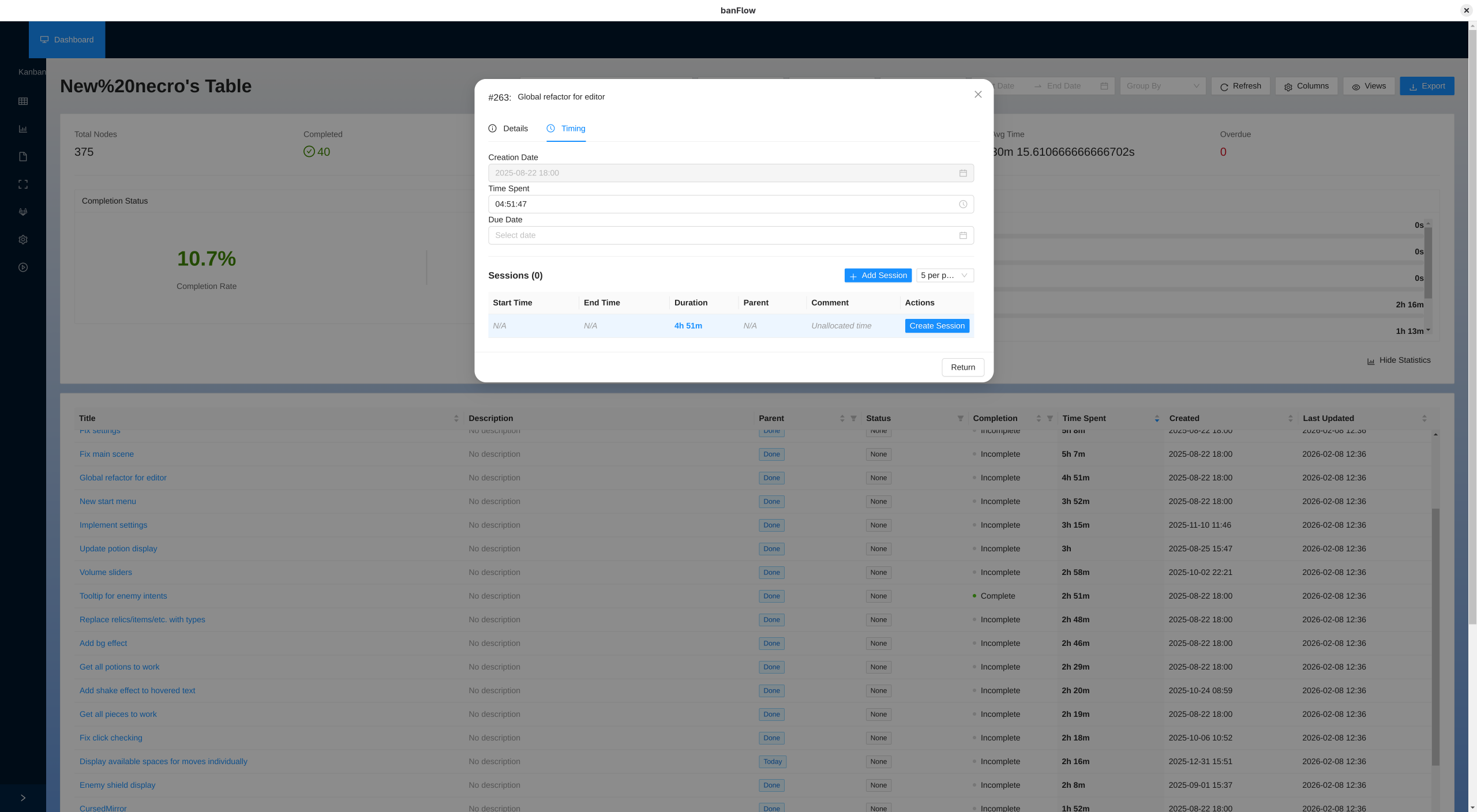
- Built-in timer for each task—start and stop as you work
- Automatic time tracking: Track exactly how much time you spend on each task
- Time reports: View detailed reports on how you've spent your time
- Session history: Review your work sessions and productivity patterns
- Historical data: See time spent across all your projects and tasks
3. Project Management
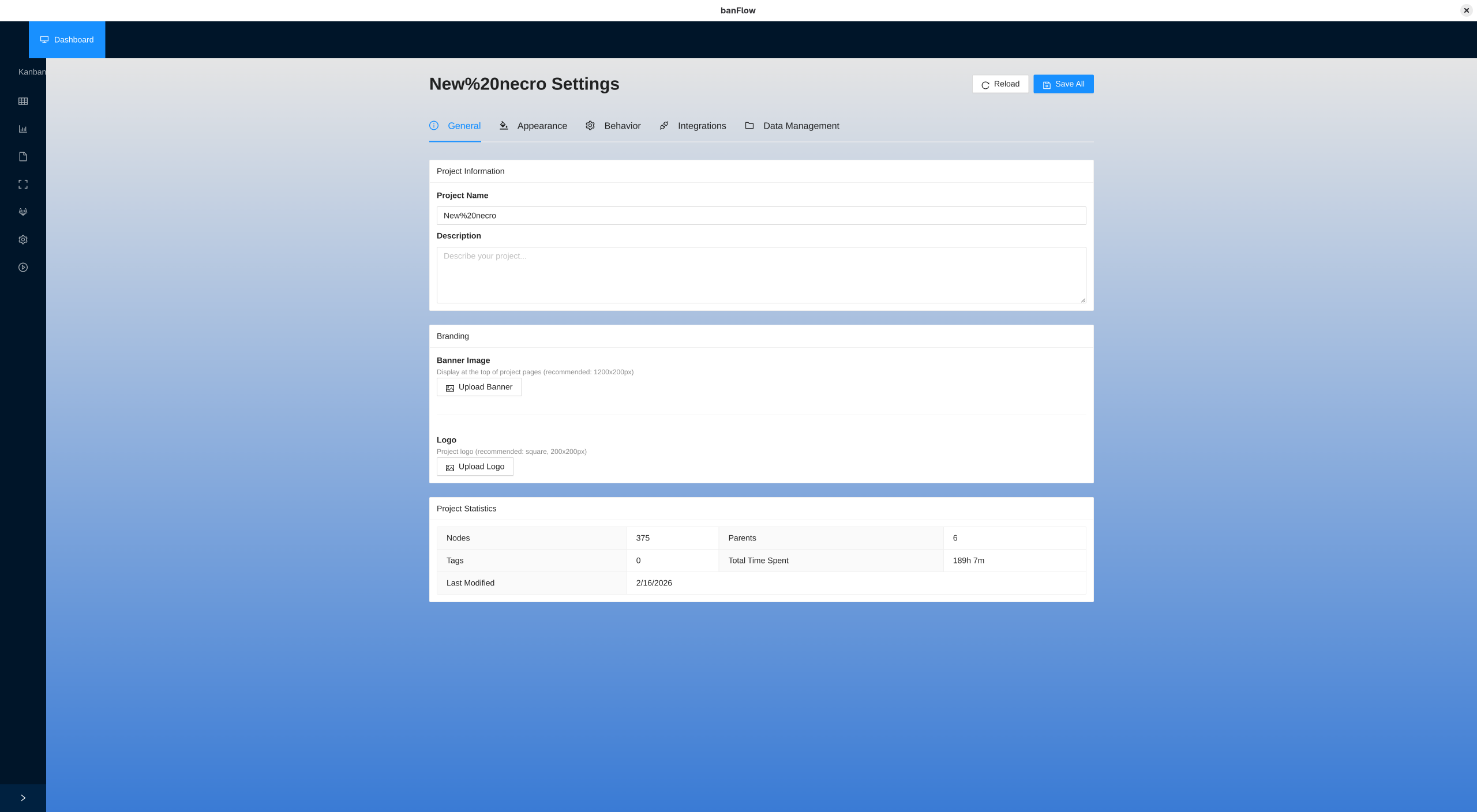
- Multiple projects: Manage as many projects as you need
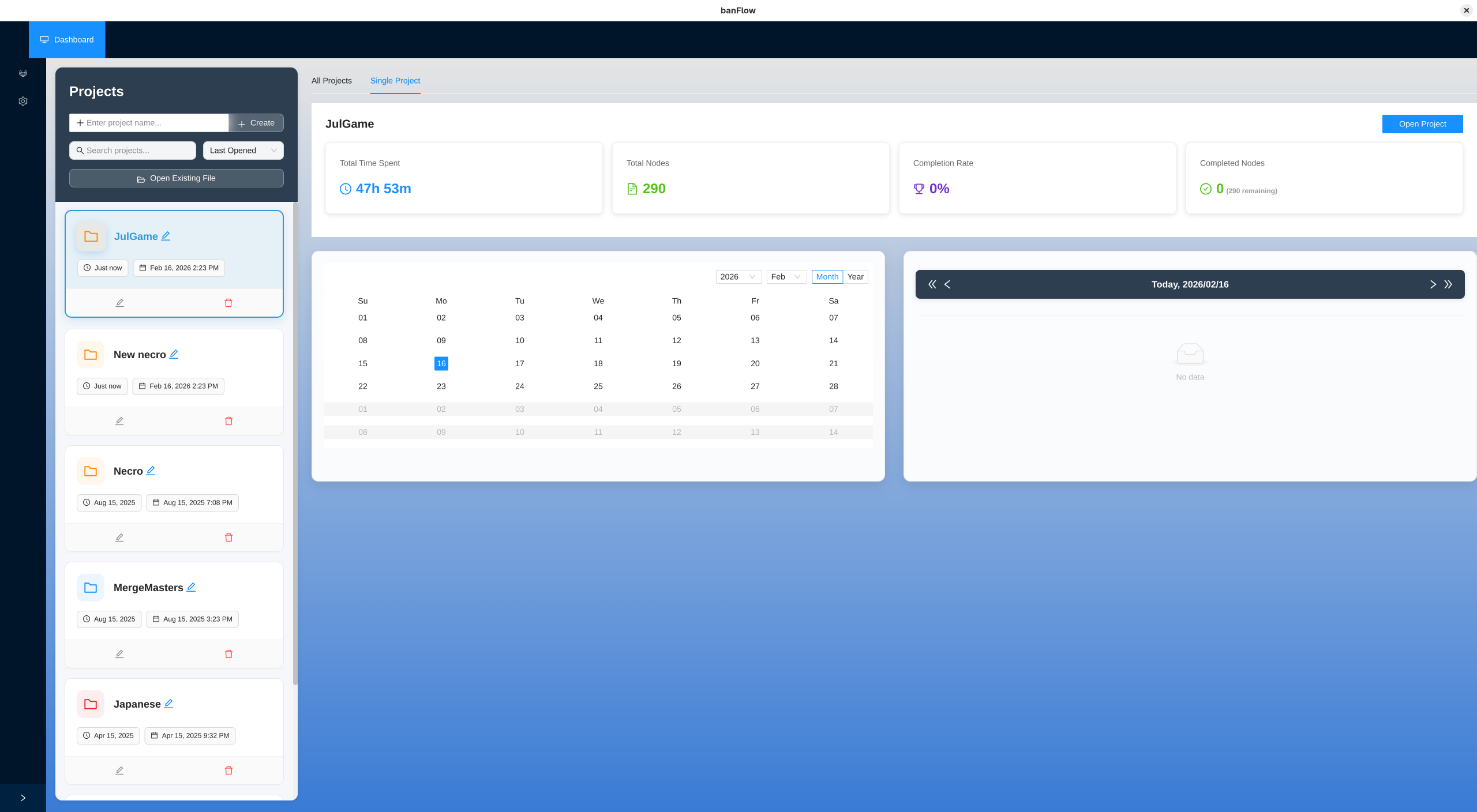
- Project overview: See all your projects in one place
- Project health: Track project status and completion rates
- Project comparison: Compare time and progress across different projects
- Custom settings: Configure each project with its own settings and metadata
4. Documentation System
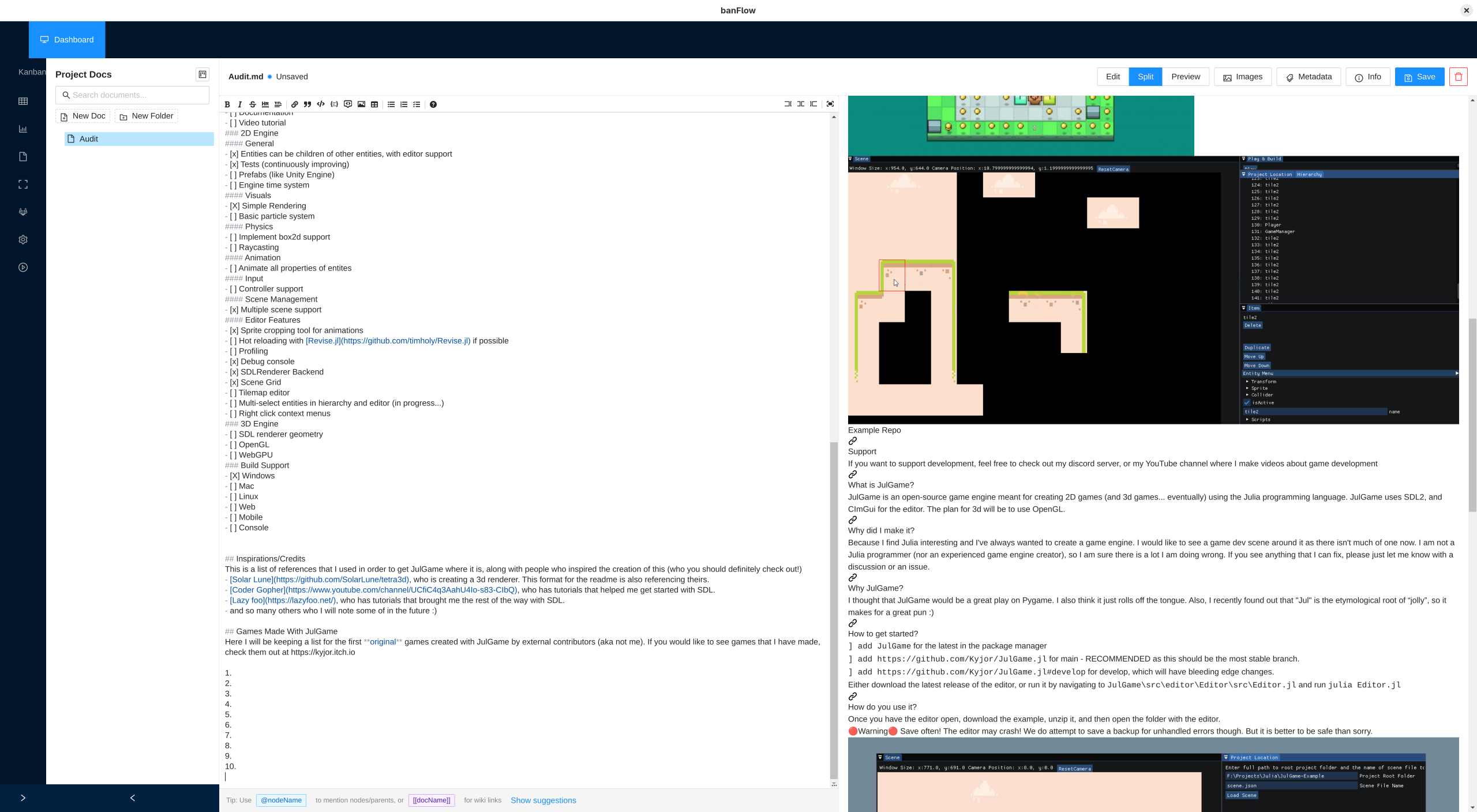
- Rich text editor with live preview as you type
- Organize documents: Create folders and organize your project documentation
- Link documents: Easily link between related documents
- Image support: Add and manage images in your documents
- Smart references: Automatically track relationships between documents
- Mention tasks: Reference your nodes and projects directly in documents
- Templates: Create templates to get started quickly
5. Git Integration
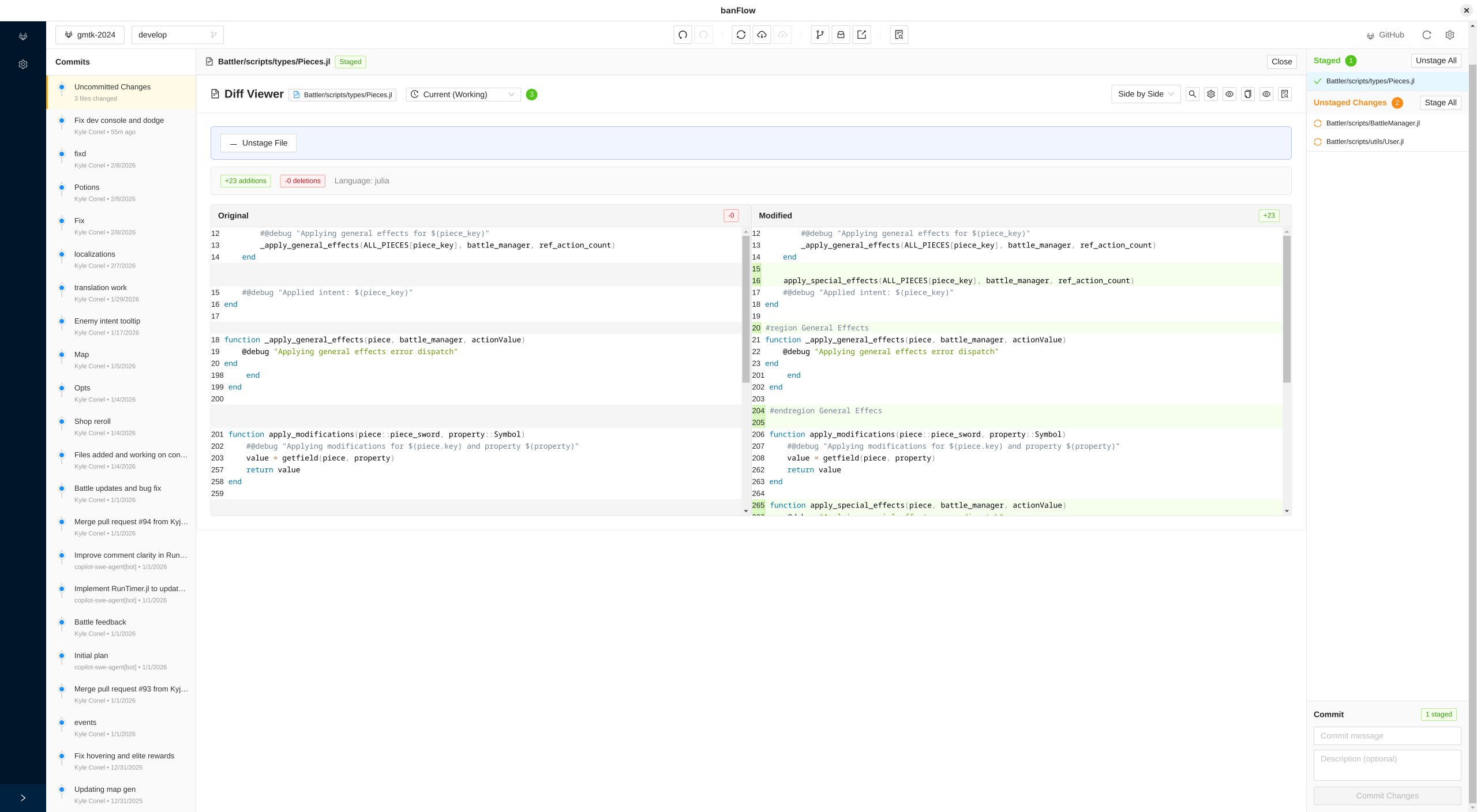
- Repository management: View and manage your Git repositories
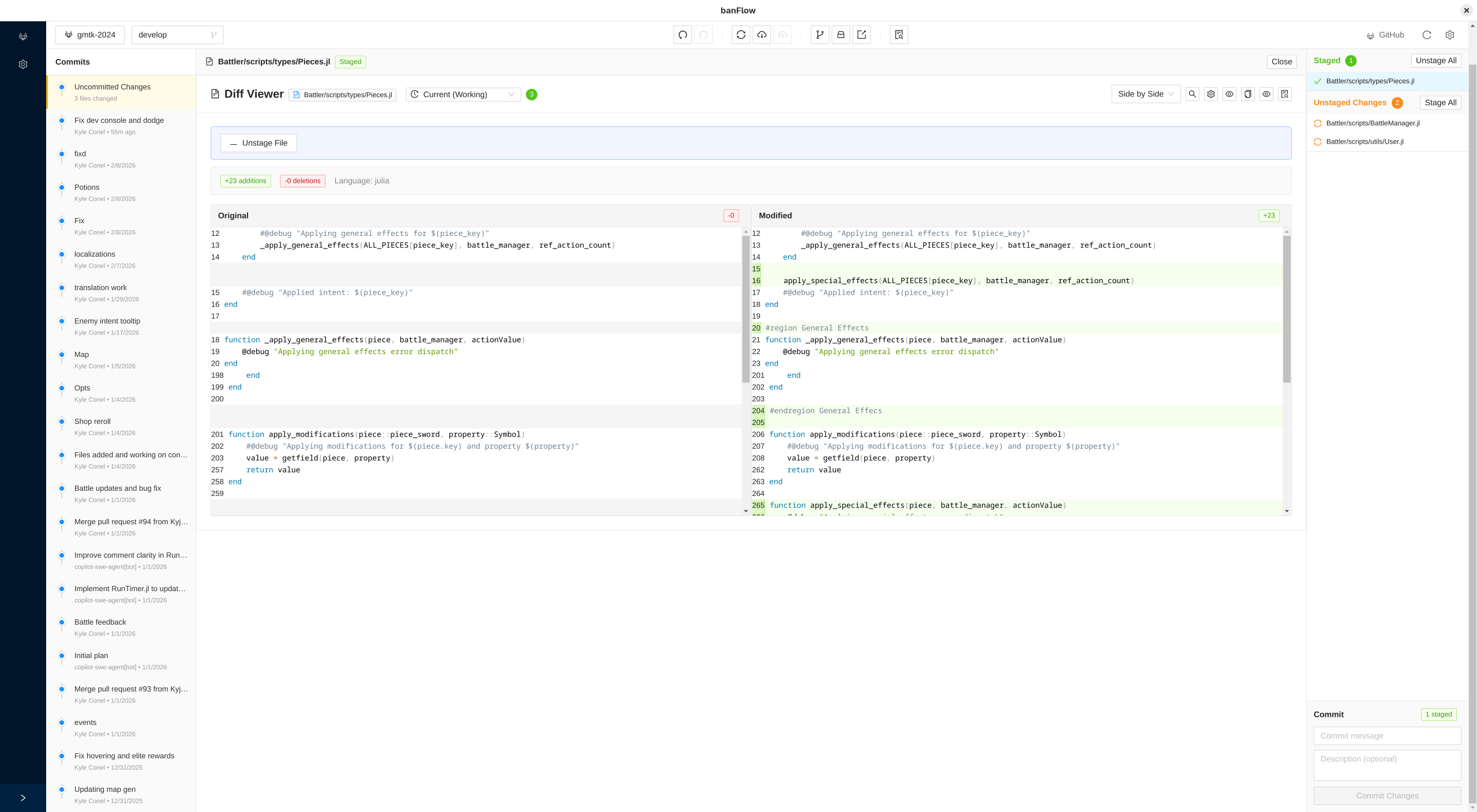
- File comparison: See changes in your code with side-by-side views
- Image previews: Compare image files visually
- Aseprite support: Special preview for Aseprite animation files
- Branch management: View and switch between Git branches easily
- Commit history: Browse your project history and see what changed
6. Analytics & Reporting
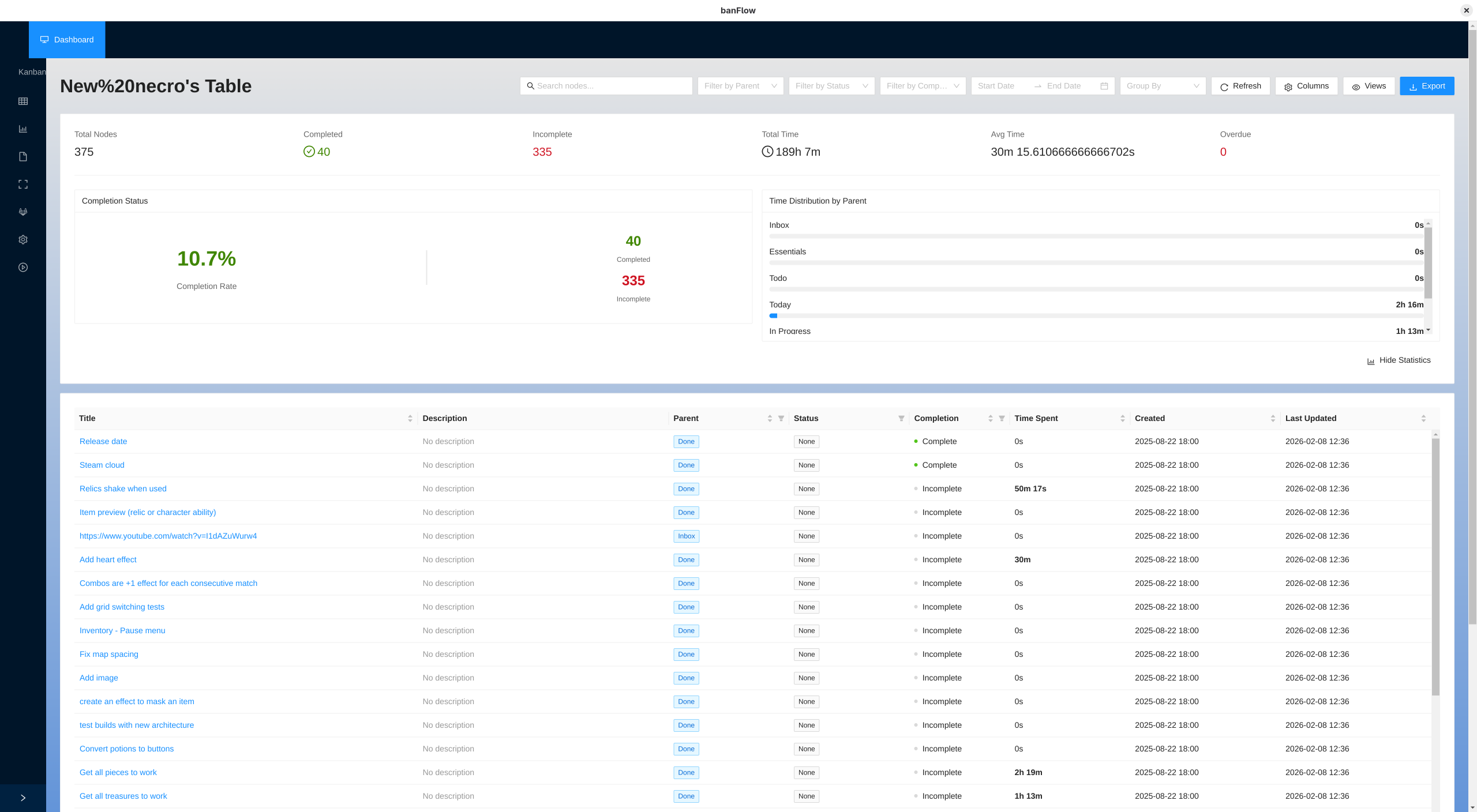
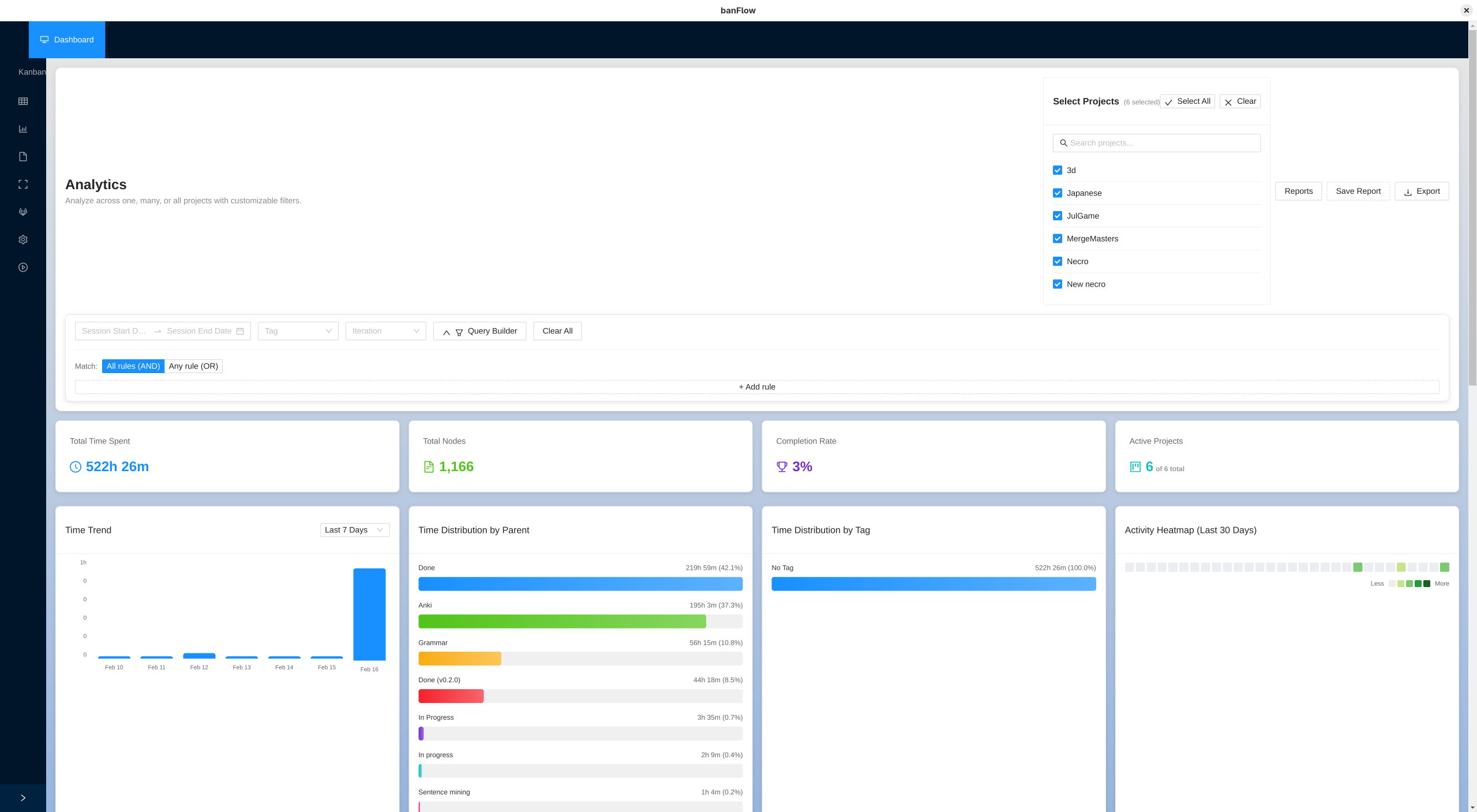
- Time analytics: Comprehensive statistics into how you spend your time
- Project statistics: Track completion rates, time spent, and progress
- Visual charts: See your productivity data in charts and graphs
- Activity visualization: See your work activity over time
7. Additional Features
- Spreadsheet view: View your data in a familiar spreadsheet format
- Charts and graphs: Visualize your project data
- Iteration tracking: Group nodes into distinct iterations to better organize them
- Tags and labels: Organize and filter nodes with tags
- Standalone timer: Use a dedicated timer view for focused work
Who Is banFlow For?
banFlow is perfect for:
- Individual developers who want to track time on their tasks
- Small teams looking for project management without complex tools
- Anyone who wants a unified solution that combines:
- Task management
- Time tracking
- Project documentation
- Version control integration
- Analytics and reporting
⚠️ Early Development: banFlow is currently in early development. While you can use it, please be aware that data loss is possible, and it's not recommended for critical projects yet.
License
banFlow is copyright, All Rights Reserved, Kyjor, LLC 2024.
You're welcome to use banFlow for your projects, both commercial and personal. You can also build banFlow yourself and use it freely for personal reasons. Please do not distribute builds of banFlow to others.
Purchase
In order to download this tool you must purchase it at or above the minimum price of $9.99 USD. You will get access to the following files:
Download demo
Development log
- Small update now, but more to comeFeb 02, 2023